Introduction to quarto
Welcome to quarto!

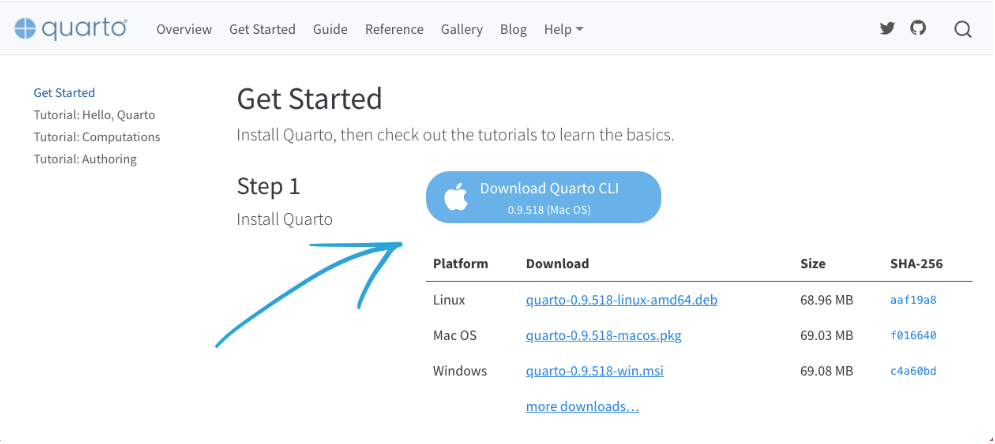
Install quarto
download and install quarto from https://quarto.org/docs/get-started/
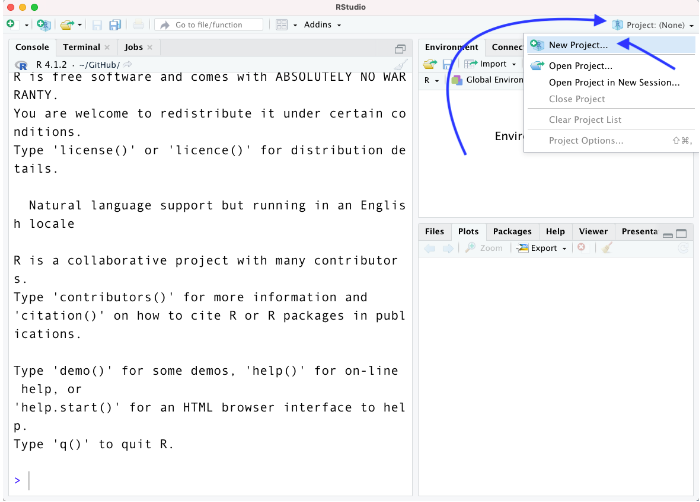
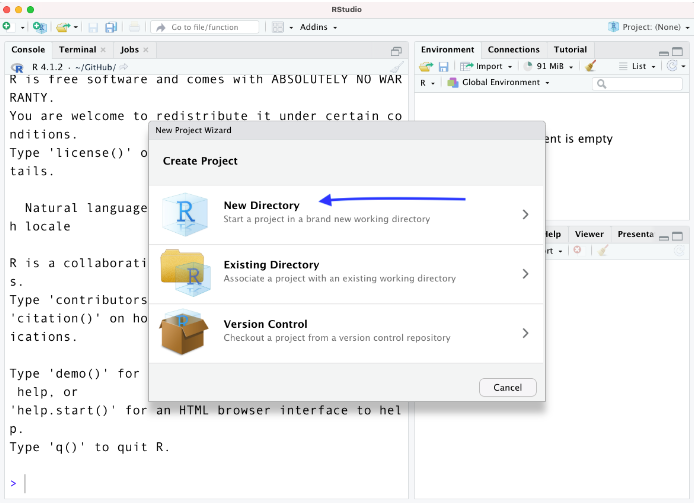
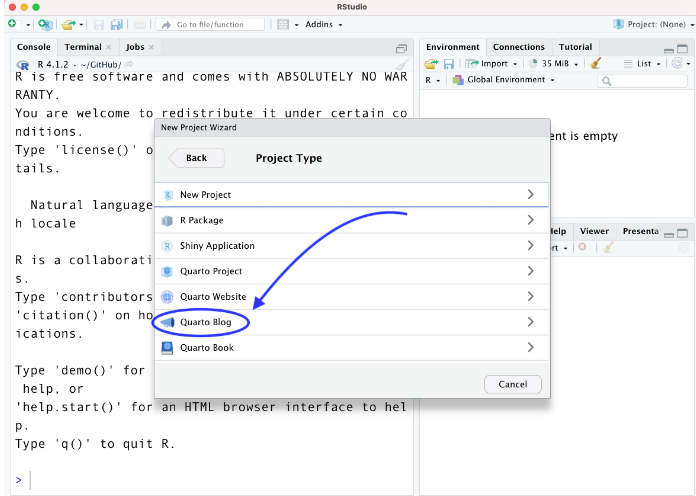
Create a blog
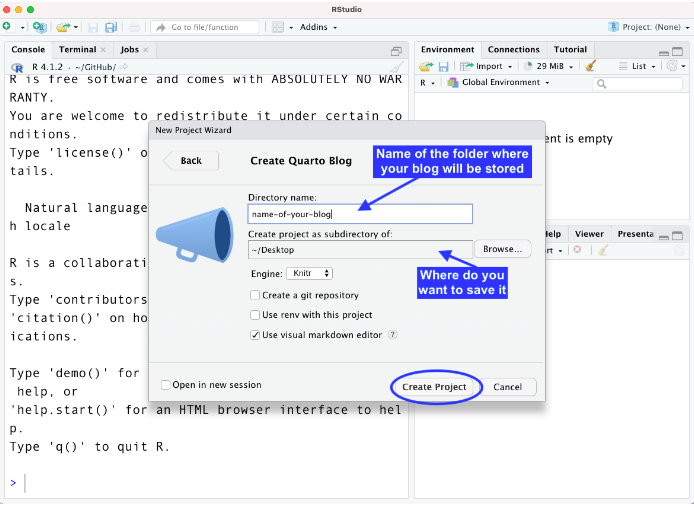
Create a new post
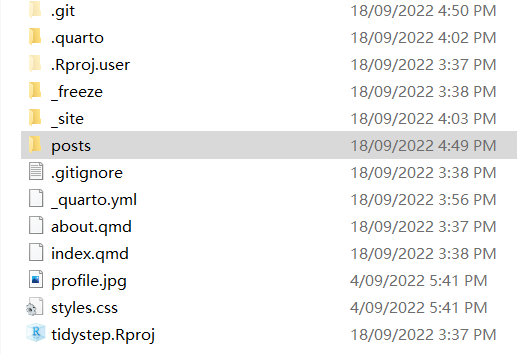
all post are under folder posts
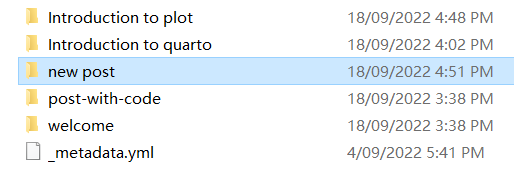
create a new folder under posts,the new folder name is your new post title
create a index.qmd file, example:
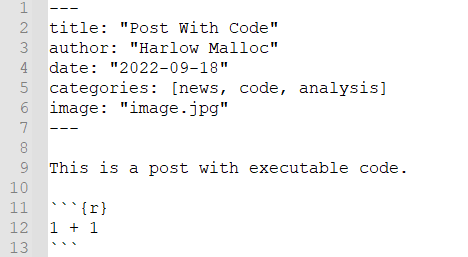
A new post!
Change blog theme
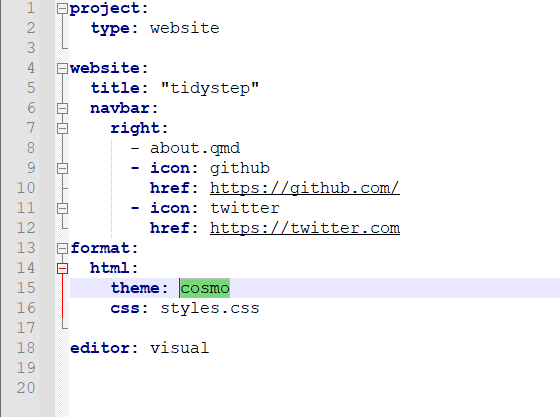
Pick your themes in www.bootswatch.com and change theme variable in _quarto.yml file
Publish to quart pub
In Terminal type: quarto publish quarto-pub
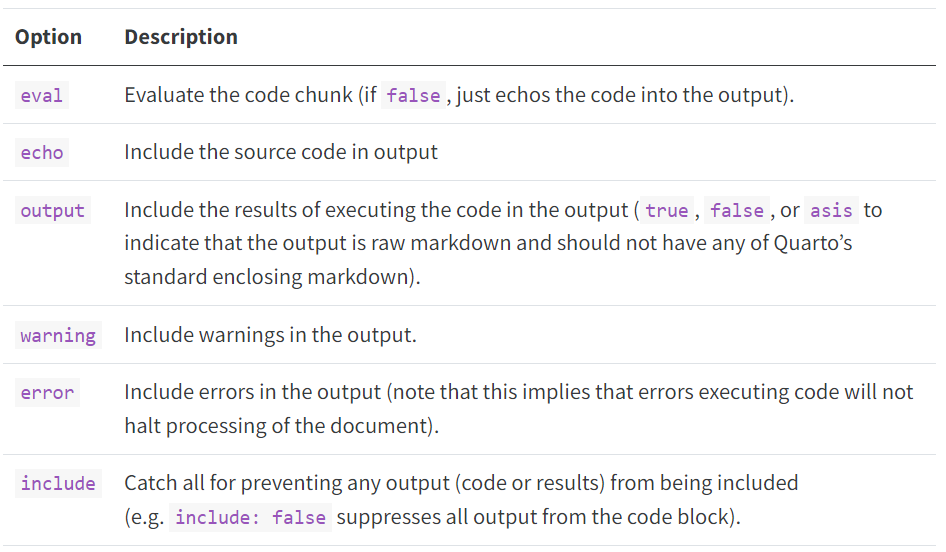
Execution Options
Learning Material
Hello Quarto by Mine Çetinkaya-Rundel Rstudio con 2022
https://www.rstudio.com/conference/2022/keynotes/collaborate-with-quarto/
Reproducible Publications with Julia and Quarto by J.J. Allaire | JuliaCon 2022
https://www.youtube.com/watch?v=Y1uKNO32H_I
RStudio Meetup: Building a Blog with Quarto by Isabella Velásquez
https://www.youtube.com/watch?v=CVcvXfRyfE0
Reference
https://beamilz.com/posts/2022-06-05-creating-a-blog-with-quarto/en/
https://quarto.org/docs/